> For clean Markdown of any page, append .md to the page URL.
> For a complete documentation index, see https://docs.thymia.ai/sentinel/llms.txt.
> For full documentation content, see https://docs.thymia.ai/sentinel/llms-full.txt.
# Policies
Biomarker models produce continuous signals — distress, stress, emotion,
clinical indicators — but a score alone doesn't tell a tutoring platform
to slow down, or a wellbeing agent to check in. Policies are the
interpretive layer that sits between raw biomarker output and your
application. Each policy encodes domain-specific logic: which signals
matter, what patterns to watch for, and what actions to recommend when
thresholds are crossed.
## How policies work
### Audio streams in
Audio and transcripts stream into Sentinel during a live conversation.
### Biomarkers process the audio
Biomarker models (Helios, Apollo, Psyche) analyse the audio and produce
scores across dimensions like distress, stress, emotion, and clinical
indicators.
### Policies evaluate scores
Policies evaluate those scores against configurable thresholds, combined
with conversation context.
### Results are returned
When a policy triggers, Sentinel returns a structured result containing
a classification level, detected concerns, and recommended actions.
Policies trigger on a **turn-based** schedule, not audio duration. A
turn is each time the user or agent speaks. Policies run every N turns
(configurable per policy) using the biomarkers available at that moment.
## Configuring policies
Policy configuration is handled by thymia based on your use case —
including biomarker selection, thresholds, sensitivity, output format,
and domain-specific reasoning. You select which policies to activate
when connecting to Sentinel.
***
## Example: a student monitoring policy
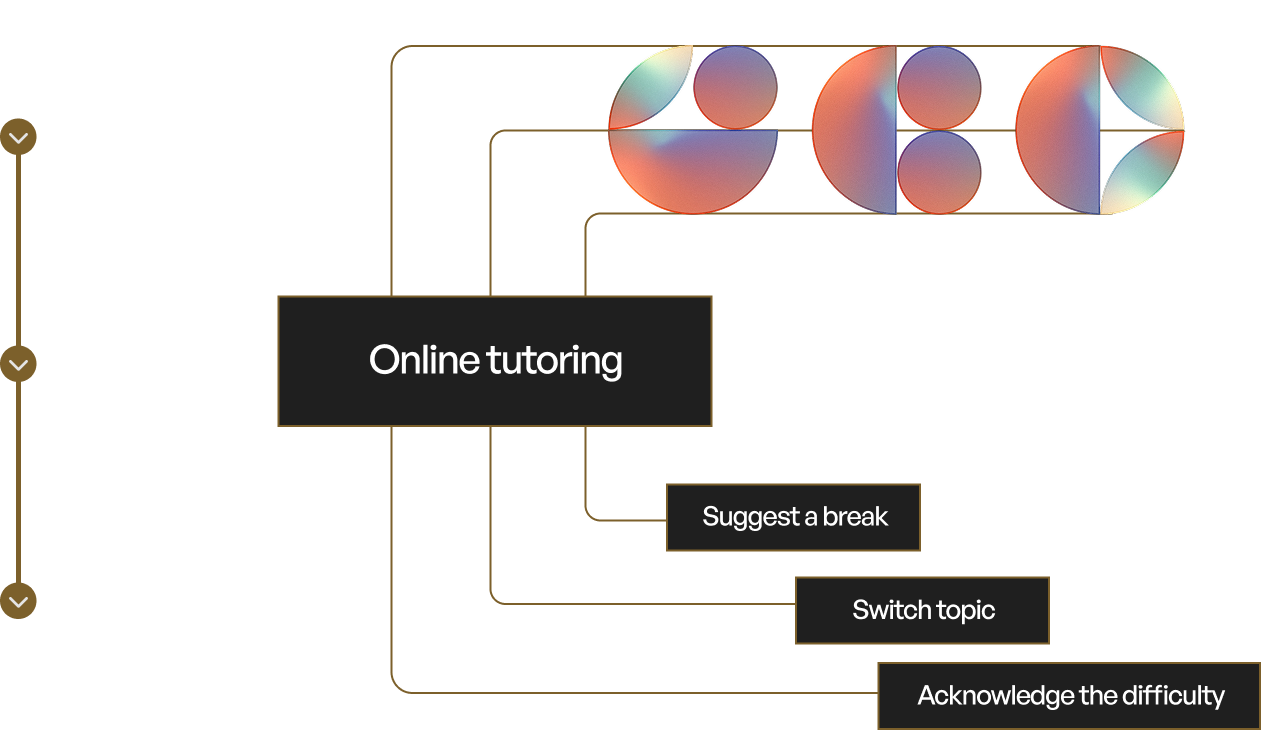 Consider a policy configured for an online tutoring platform.
Sentinel streams audio from a live tutoring session. Biomarker models
detect that the student's stress is rising, fatigue is elevated, and
vocal tone is shifting toward frustration — while the transcript shows
the student has stopped answering questions and is giving short,
disengaged responses.
Individually, none of these signals are conclusive. Elevated stress
could be productive effort. Short responses could be focus, not
disengagement. The policy combines them: when stress, fatigue, and
linguistic disengagement cross a configured threshold within the same
conversational window, the policy triggers. Sentinel returns a single,
domain-appropriate result — the student is struggling — with a
recommended action: acknowledge the difficulty and suggest a break or
topic switch.
The tutoring agent adjusts its approach in real time. No human needed
to intervene.
This same pattern applies across any domain — healthcare, contact
centres, coaching, safety monitoring — with different biomarker
combinations, thresholds, and recommended actions tailored to each
context.
## Multiple policies
Multiple policies can run simultaneously on the same conversation. Each
triggers independently, so a single session could monitor wellbeing,
extract structured data from the conversation, and track engagement —
all at once, each producing its own results.
## Custom policies
Policies are fully configurable. thymia works with you to define the
biomarker combinations, thresholds, and domain logic that match your
use case — whether that's agent evaluation, interview anxiety detection,
therapy session quality, or something entirely new.
Contact [support@thymia.ai](mailto:support@thymia.ai) to discuss
your requirements.
## Next steps
* [Sentinel Docs](https://thymia-ai.github.io/thymia-sentinel-integrations/1.1.0/) — SDK reference, integrations, and more.
Consider a policy configured for an online tutoring platform.
Sentinel streams audio from a live tutoring session. Biomarker models
detect that the student's stress is rising, fatigue is elevated, and
vocal tone is shifting toward frustration — while the transcript shows
the student has stopped answering questions and is giving short,
disengaged responses.
Individually, none of these signals are conclusive. Elevated stress
could be productive effort. Short responses could be focus, not
disengagement. The policy combines them: when stress, fatigue, and
linguistic disengagement cross a configured threshold within the same
conversational window, the policy triggers. Sentinel returns a single,
domain-appropriate result — the student is struggling — with a
recommended action: acknowledge the difficulty and suggest a break or
topic switch.
The tutoring agent adjusts its approach in real time. No human needed
to intervene.
This same pattern applies across any domain — healthcare, contact
centres, coaching, safety monitoring — with different biomarker
combinations, thresholds, and recommended actions tailored to each
context.
## Multiple policies
Multiple policies can run simultaneously on the same conversation. Each
triggers independently, so a single session could monitor wellbeing,
extract structured data from the conversation, and track engagement —
all at once, each producing its own results.
## Custom policies
Policies are fully configurable. thymia works with you to define the
biomarker combinations, thresholds, and domain logic that match your
use case — whether that's agent evaluation, interview anxiety detection,
therapy session quality, or something entirely new.
Contact [support@thymia.ai](mailto:support@thymia.ai) to discuss
your requirements.
## Next steps
* [Sentinel Docs](https://thymia-ai.github.io/thymia-sentinel-integrations/1.1.0/) — SDK reference, integrations, and more.
***